Search by meaning
Search “contracts about late payment penalties” and find the one that never uses those words. The model runs entirely on your Mac, in English and Chinese — the enhanced model also searches across the two.
Search by name, by content or by meaning — or let Claude find it for you. The index stays on this Mac.
macOS 13 or later · Apple silicon (M series) · No account needed for the trial
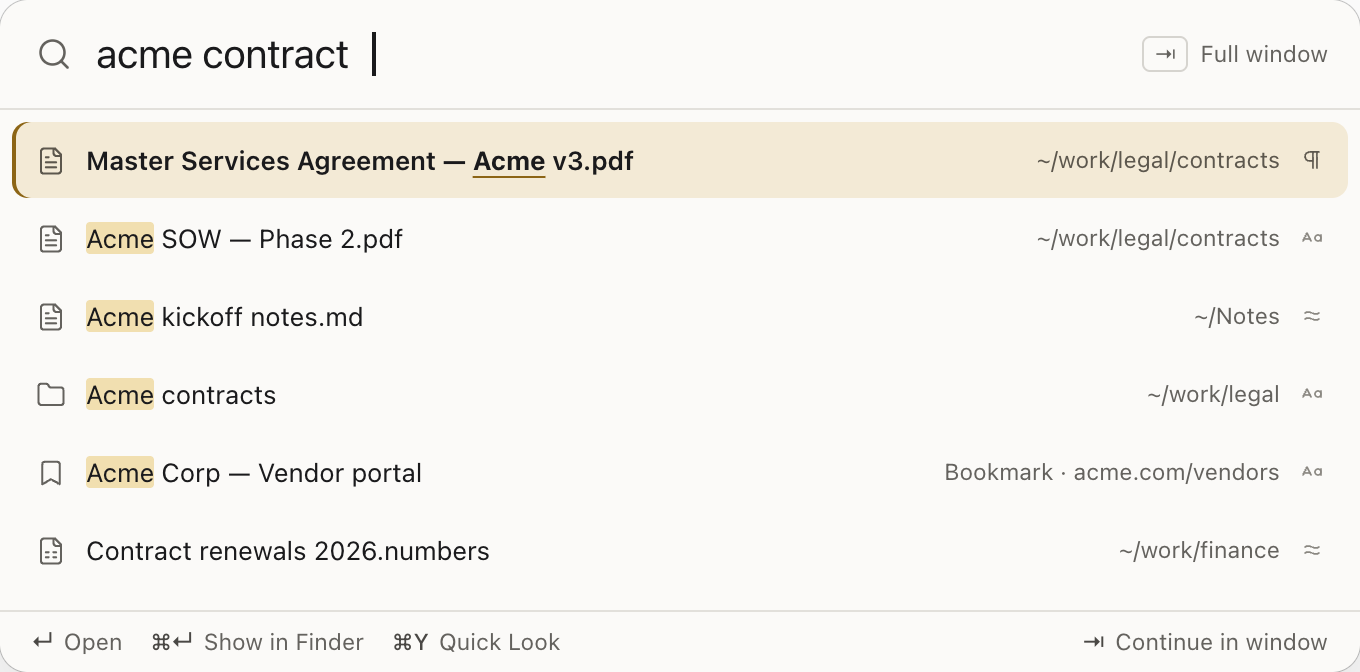
From anywhere
No need to switch to Memtrove. The panel opens over whatever you’re doing — type a few letters, press Return, and it’s gone.
Features
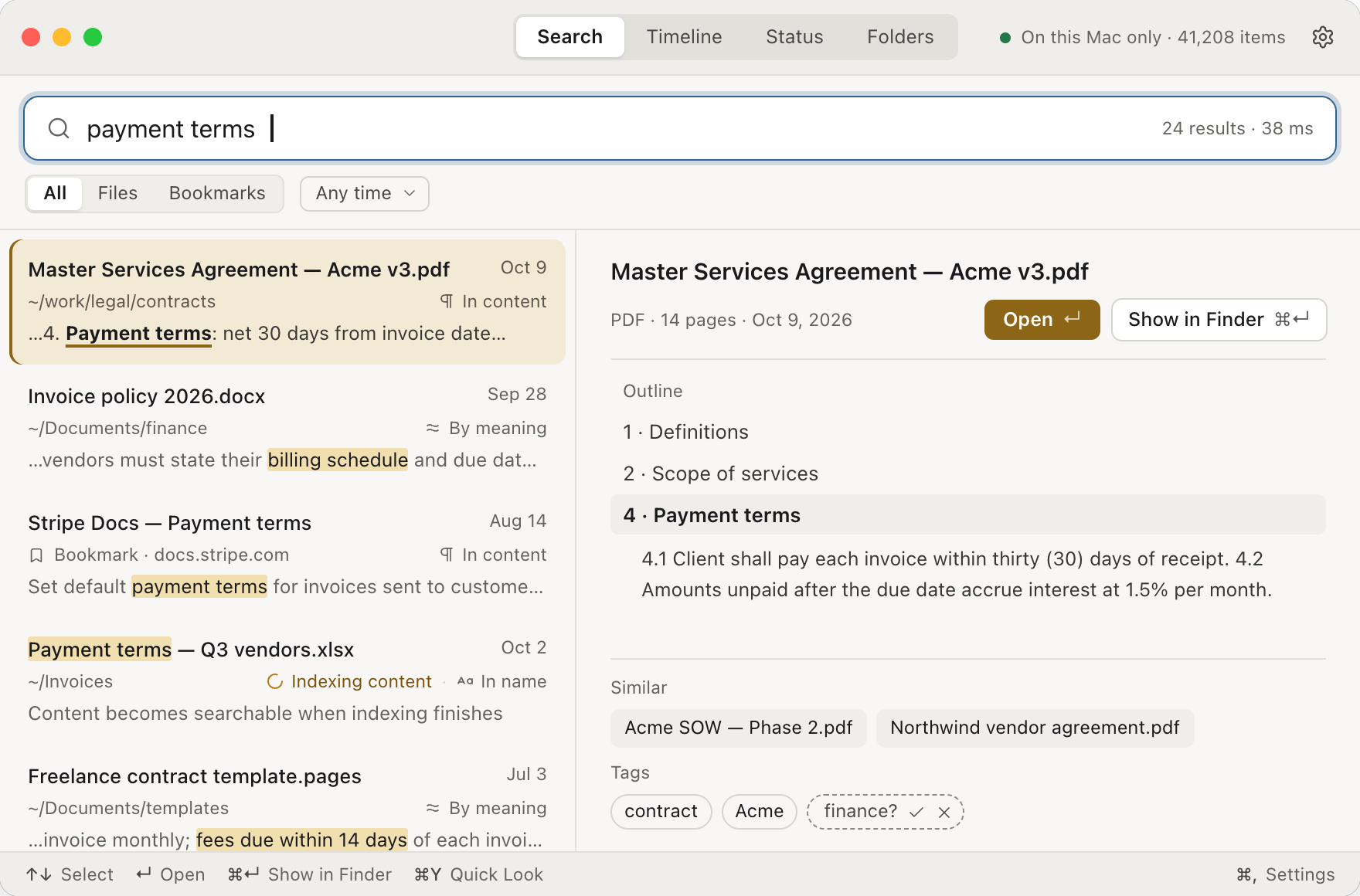
The name, a phrase, roughly what it was about, or just that you downloaded it last month — any of these is enough.
Search “contracts about late payment penalties” and find the one that never uses those words. The model runs entirely on your Mac, in English and Chinese — the enhanced model also searches across the two.
Type “invoices in Downloads last month” and the time and folder become filters. Put a phrase in quotes, like "net 30", to match it exactly.
In the content, in the name, or by meaning — you can see why each result showed up.
Bookmarks from Chrome, Edge and Safari appear alongside your files. Memtrove also finds dead links and duplicates.
Files created or changed today, or in the last 7, 30 or 90 days, in order.
The preview lists the document’s outline. Open just the section you need, without opening the whole file.
OptionalClaude
Connect Claude Desktop in one click. Claude searches with Memtrove, reads only the sections it needs, and answers with quotes from your files. Claude Code connects with one command.
Last month’s contract with Acme is the Master Services Agreement, v3. The payment terms come down to two clauses:
Net 30.
“4.1 Client shall pay each invoice within thirty (30) days of receipt.”Master Services Agreement — Acme v3.pdf · section 4
Late payments accrue interest.
“4.3 Overdue amounts accrue interest at 1.5% per month.”Master Services Agreement — Acme v3.pdf · section 4
Privacy
No account, and no server holding your data. Here is exactly what Memtrove does and doesn’t do.
No account, no cloud, no telemetry. The index, search and the meaning model all run on this Mac.
Never changes, moves or deletes your files. It only reads them to build the index.
Set any folder to show Claude its structure only, or hide it from Claude completely.
Connecting Claude is optional. If you do, what Claude reads is sent to Anthropic and handled under Claude’s terms. Read the privacy policy
Pricing
Try every feature free for 14 days — no account needed. After the trial, search matches file names only; your index is kept, and everything comes back as soon as you activate. Refunds within 14 days of purchase. Checkout is handled by Dodo Payments, which calculates tax for your location.
Search matches file names only. Your index and settings stay on your Mac, and everything comes back as soon as you enter a license key.
Not for searching. Memtrove goes online in four cases only: downloading the meaning model (once), activating your license (only the key is sent), checking for updates, and fetching bookmarked pages if you turn that on.
No. Memtrove needs Apple silicon (M series) and macOS 13 or later. Need an Intel version? Let us know — if enough people ask, we'll build one.
The app is in English and Chinese. Search by meaning works in both, and the enhanced model also searches across them — find an English contract with a Chinese query, for example.
No. Claude can only search through Memtrove and read the sections it asks for; that content is sent to Anthropic. You can limit any folder to its structure only, or hide it from Claude completely. If you don’t connect Claude, nothing leaves your Mac.
One license covers 3 of your Macs. To move it, deactivate Memtrove on the old Mac and activate it on the new one. The index is built again on the new Mac.
Yes, within 14 days of purchase. Email support@memtrove.app.
Every 1.x update is free. When the next major version (2.0) ships, existing customers can upgrade for $25 — or keep using the version they have.